
How to use Paron
Paron is a marketplace for tokenized GPU compute: one compute unit (CU) is one hour of H100-equivalent compute, backed by a bond the provider posts. Paron runs on Robinhood Chain Testnet only, and every token in it has no monetary value.
Open Paron
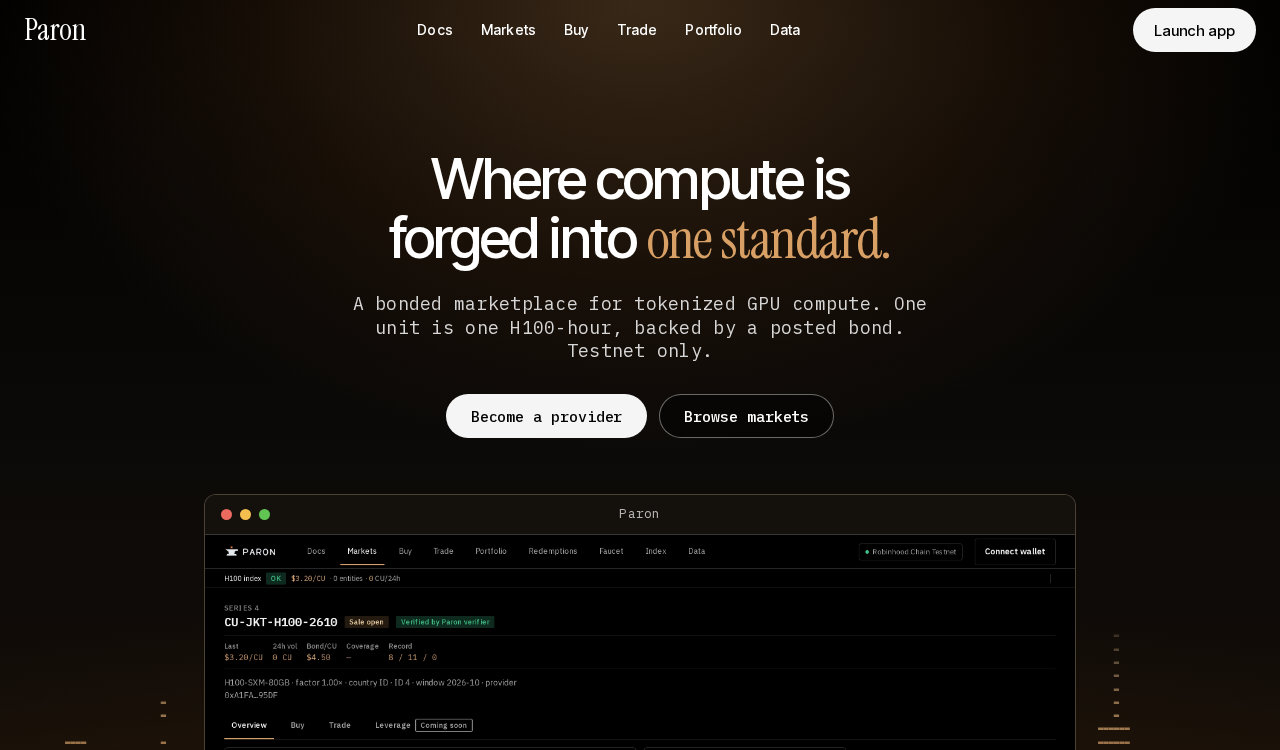
Go to the Paron landing page. It explains the idea in one screen: one standard unit, one price, one bond.
Launch app
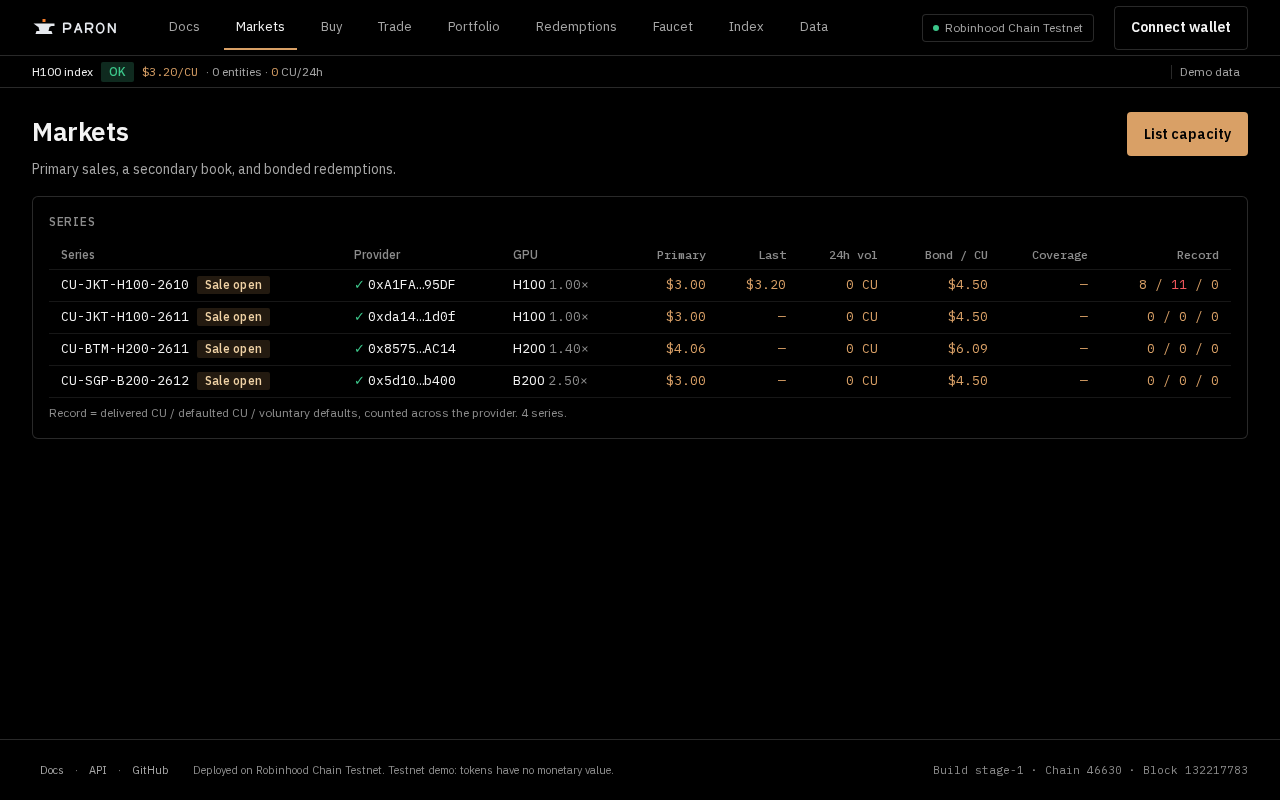
Press Launch app to open the Markets page. You can browse series and the H100 index without a wallet.
Connect your wallet and Switch network
Press Connect wallet and pick your wallet. If it is on another network, a banner appears: press Switch to move to Robinhood Chain Testnet (chain 46630).

Get test USDC
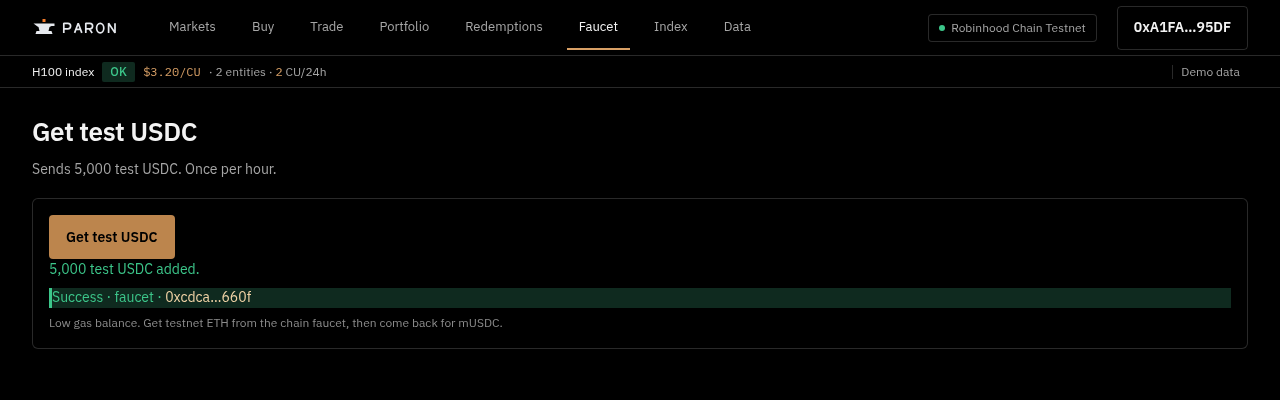
Open Faucet and press Get test USDC to receive 5,000 test USDC (MockUSDC), once per hour. You also need a little testnet ETH for gas; the page links you to get it.
Pick a series and check the bond
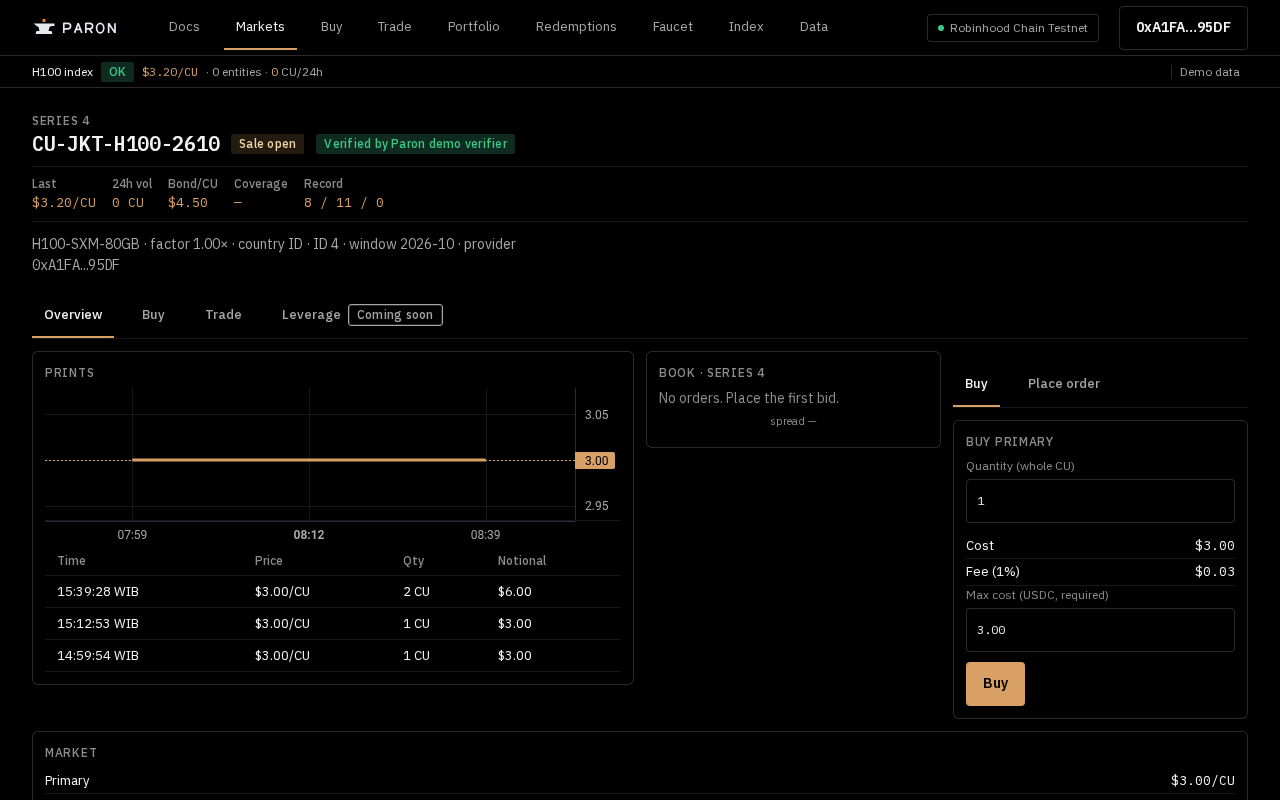
Open Markets and choose a series, for example CU-JKT-H100-2610. The series page shows Bond/CU of $4.50 against a $3.00 primary price, which is the 1.5× bond that covers buyers if delivery fails. The "Demo data" label in the top bar and the "Verified by Paron verifier (team-operated, testnet)" badge are testnet labels: this is a testnet deployment, and the verifier is a demo attestation, not a real audit.
Buy primary
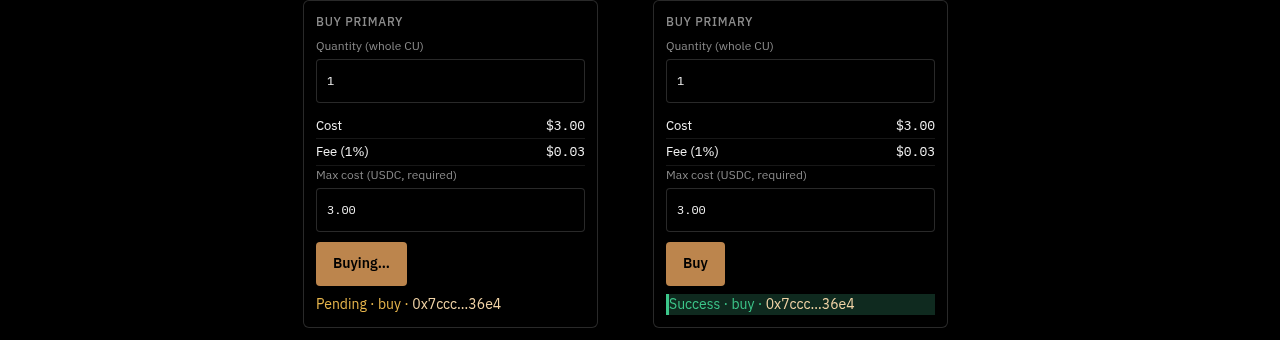
In the Buy ticket enter a whole number of CU and press Buy. Confirm in your wallet; the status shows Pending, then Success.
Trade: bid and ask
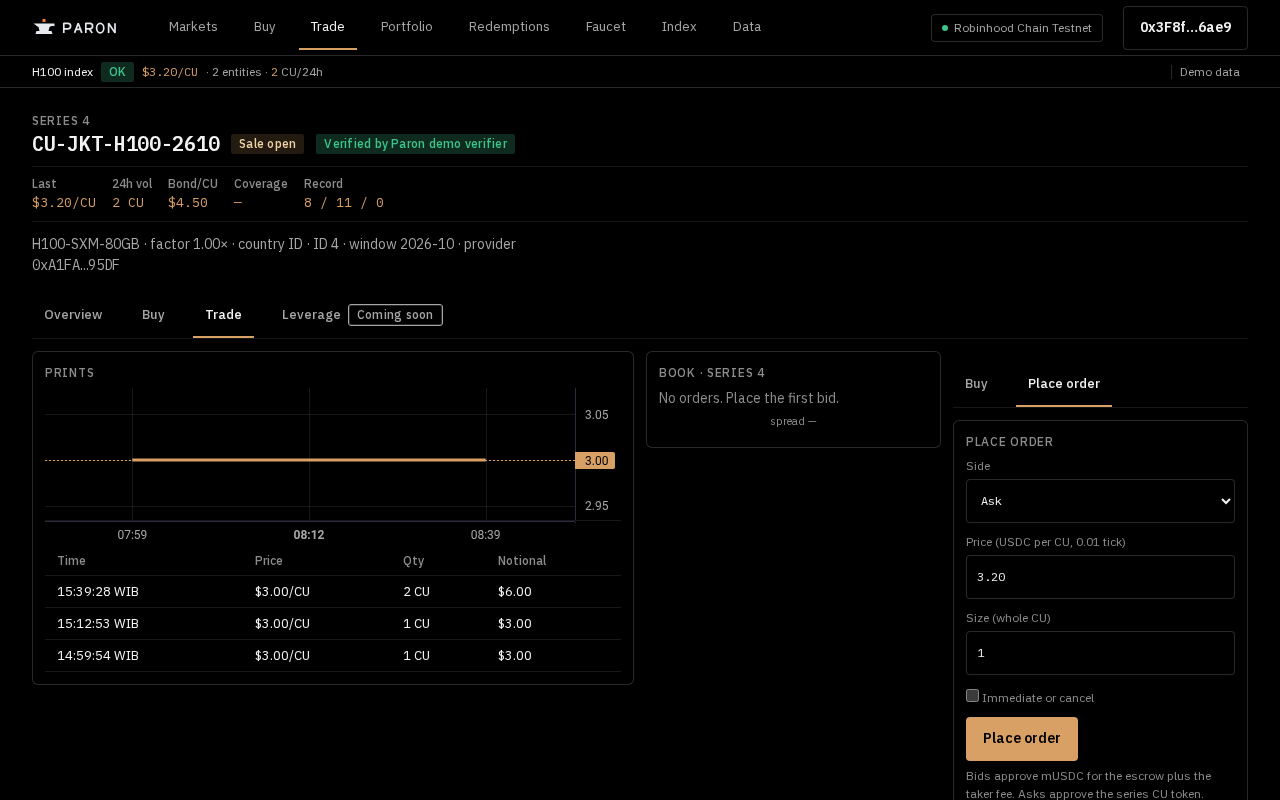
Open Trade and use Place order. Choose the Side (Bid or Ask), set the price in USDC per CU and the size, then press Place order; your order appears in the book.
Check your Portfolio
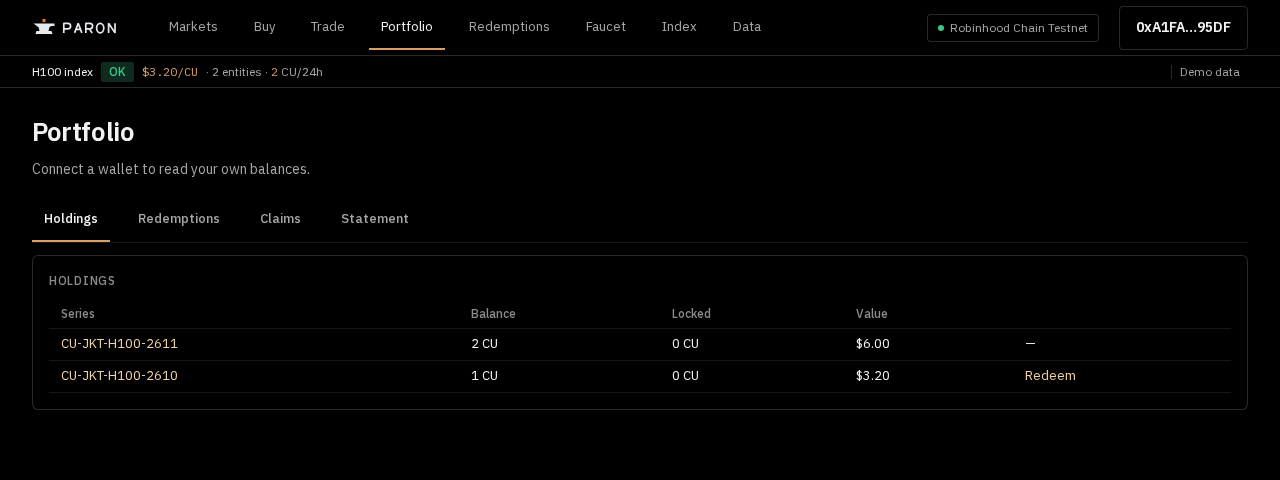
Portfolio lists your holdings with Balance, Locked and Value. Press Redeem next to a series to start a redemption; the Redemptions, Claims and Statement tabs sit beside Holdings.
Request a redemption
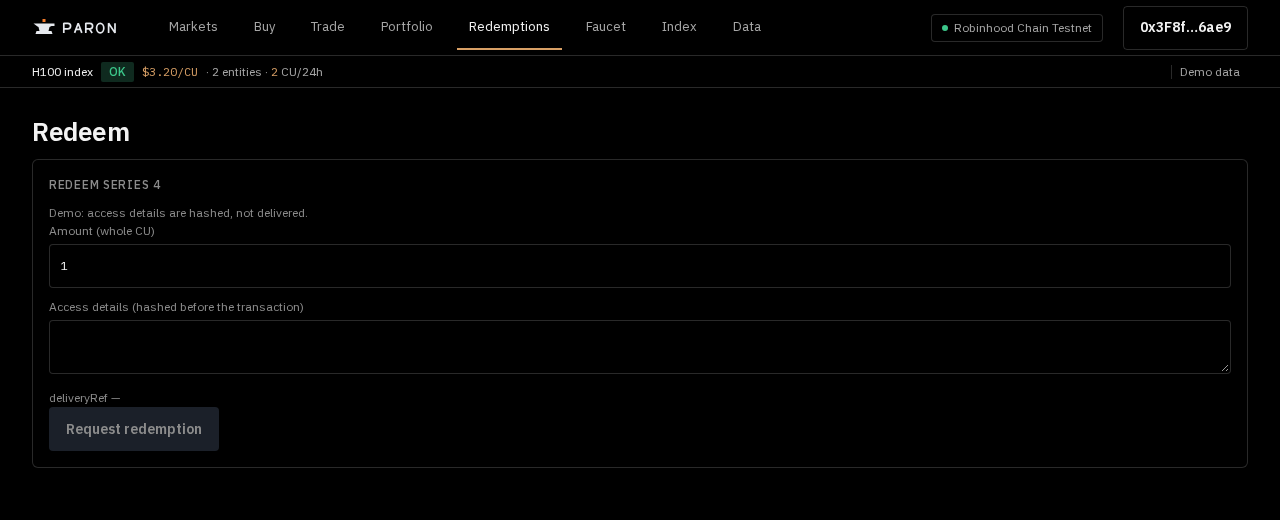
On the Redeem page enter the amount in whole CU and your access details (hashed before the transaction), then press Request redemption. A redemption moves through Requested, Acknowledged, Delivered and Finalized.
Claim default from the bond
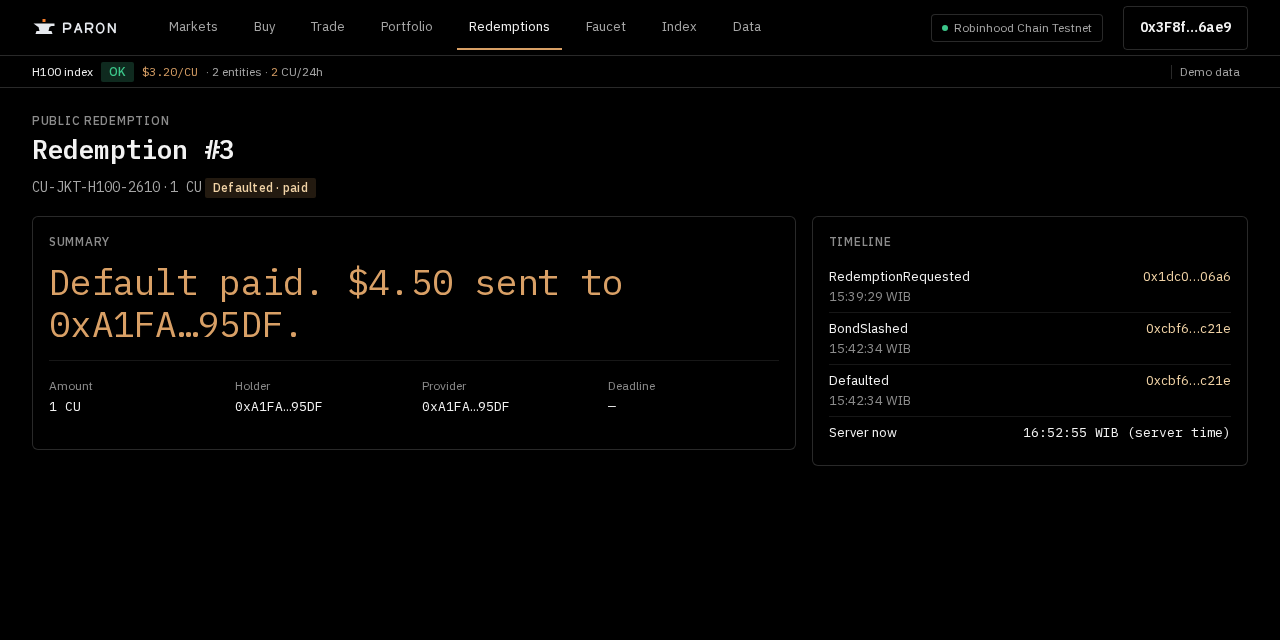
If the provider does not deliver, open the redemption request; claiming a default is public and any wallet can do it. The bond pays the holder, and the page shows "Defaulted · paid" with the timeline.
Read the Index
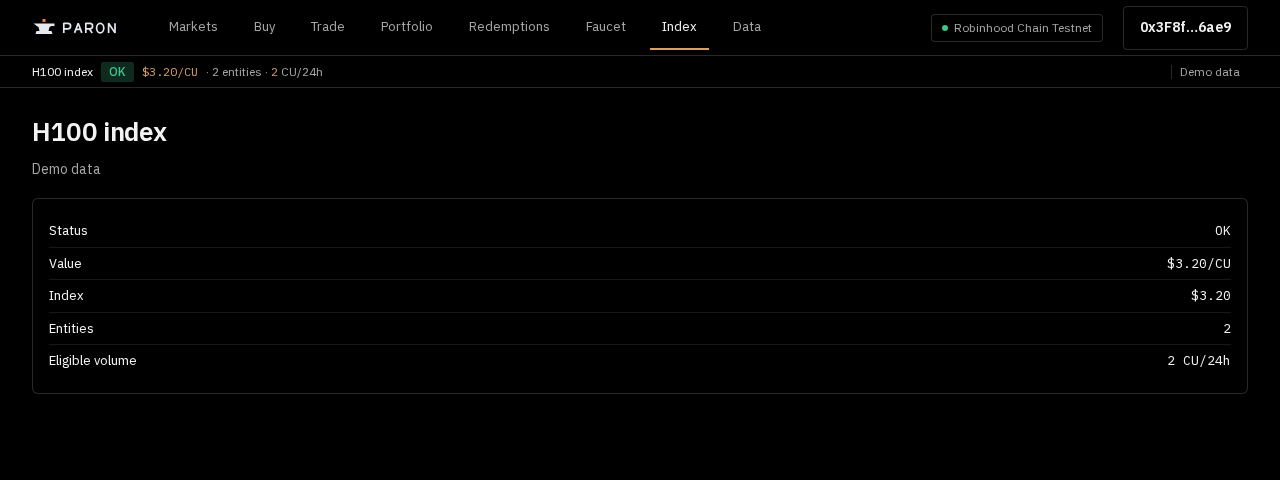
Index shows the H100 reference price with its status, value, number of entities and eligible volume.
Browse Data
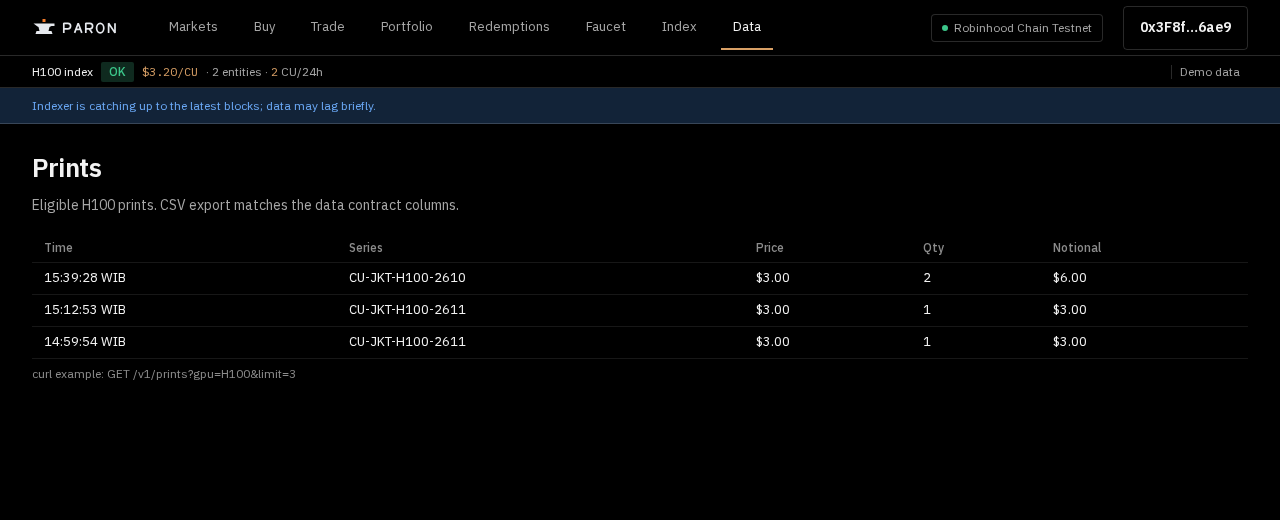
Data lists eligible H100 prints and a curl example for the API. The CSV export matches the data contract columns.
For providers: Become a provider
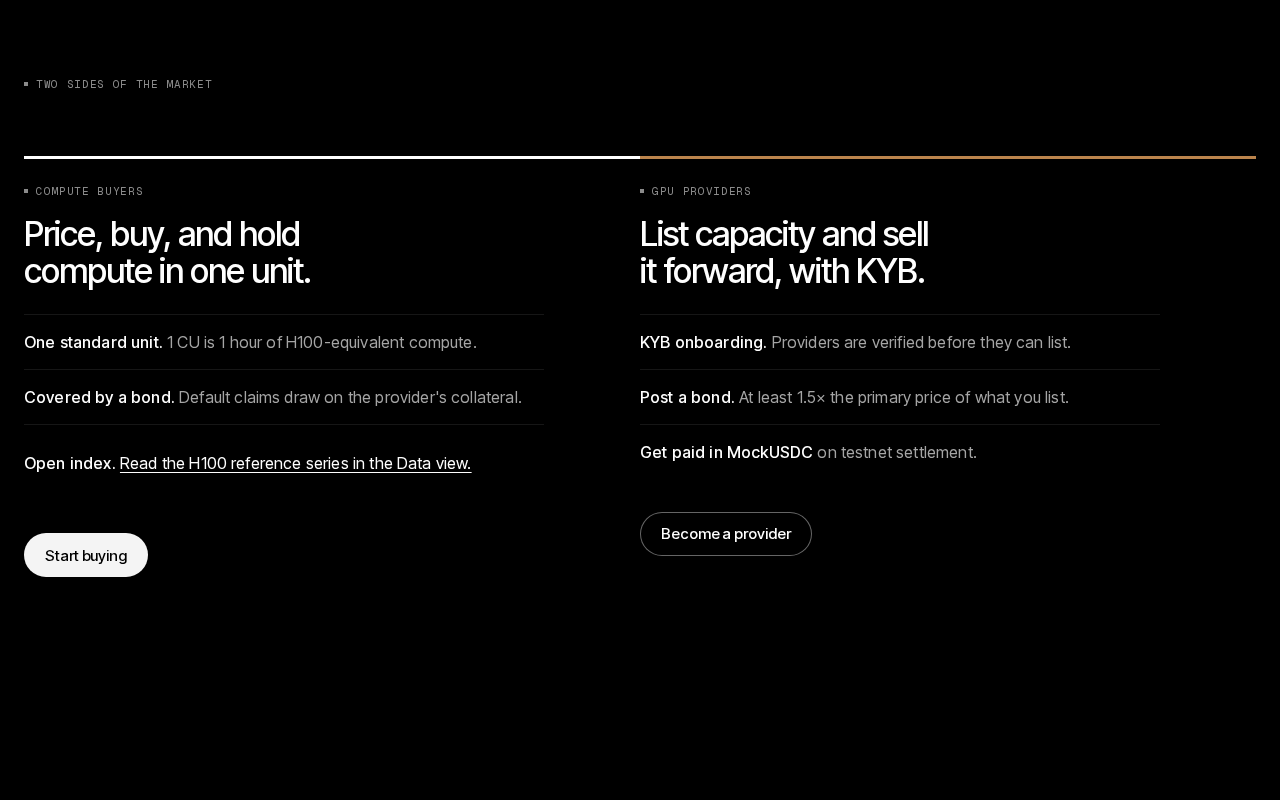
On the landing page press Become a provider to open the Provider page. Providers complete KYB first (Start KYB) before they can list capacity.
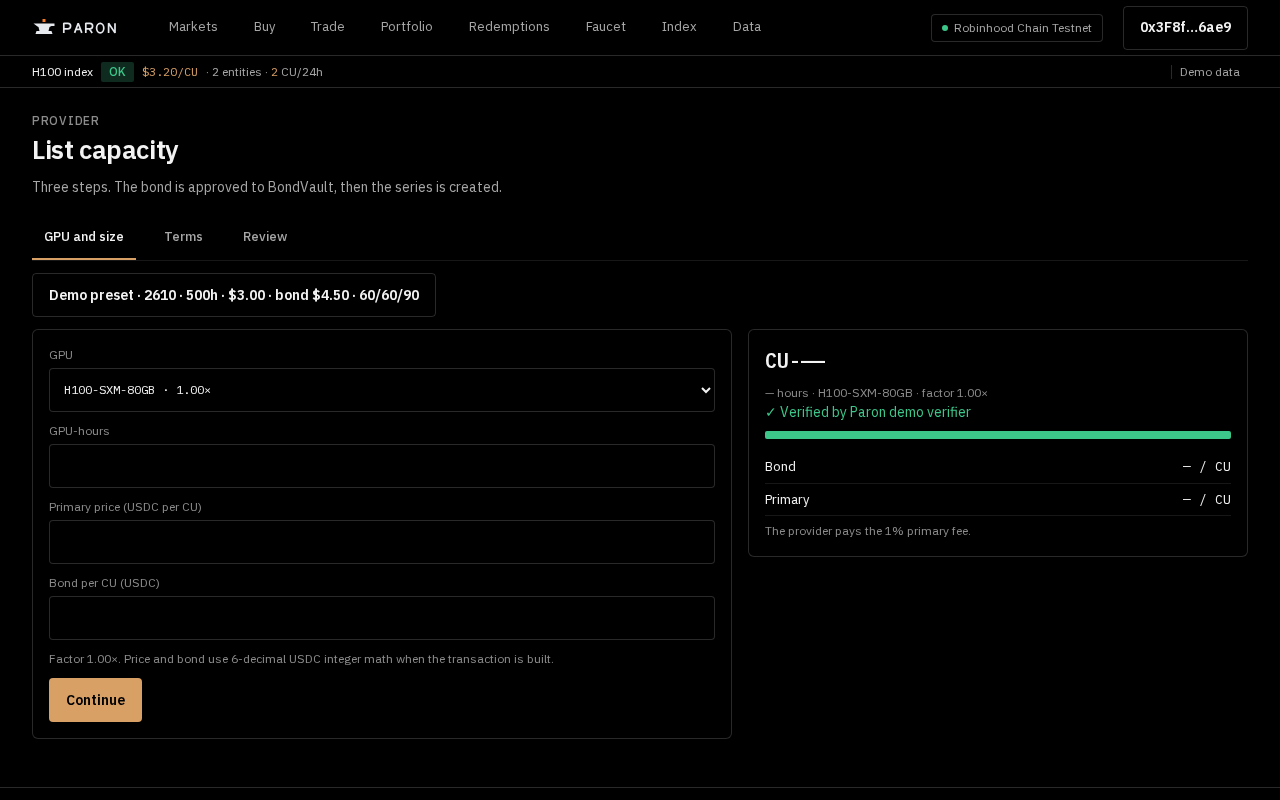
For providers: List capacity
Once verified, press List capacity and follow the three steps: GPU and size, Terms, Review. The bond is approved to BondVault, then the series is created.
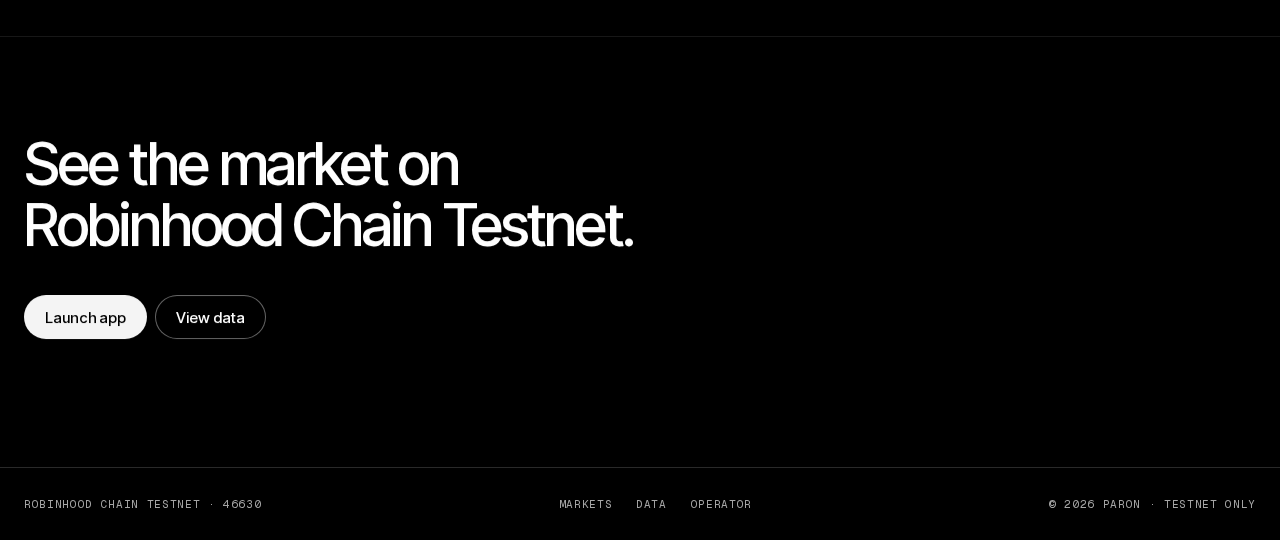
For operators: Operator tab
Operators enter through the OPERATOR tab in the footer of the landing page. It leads to the operator tools in the next two steps.
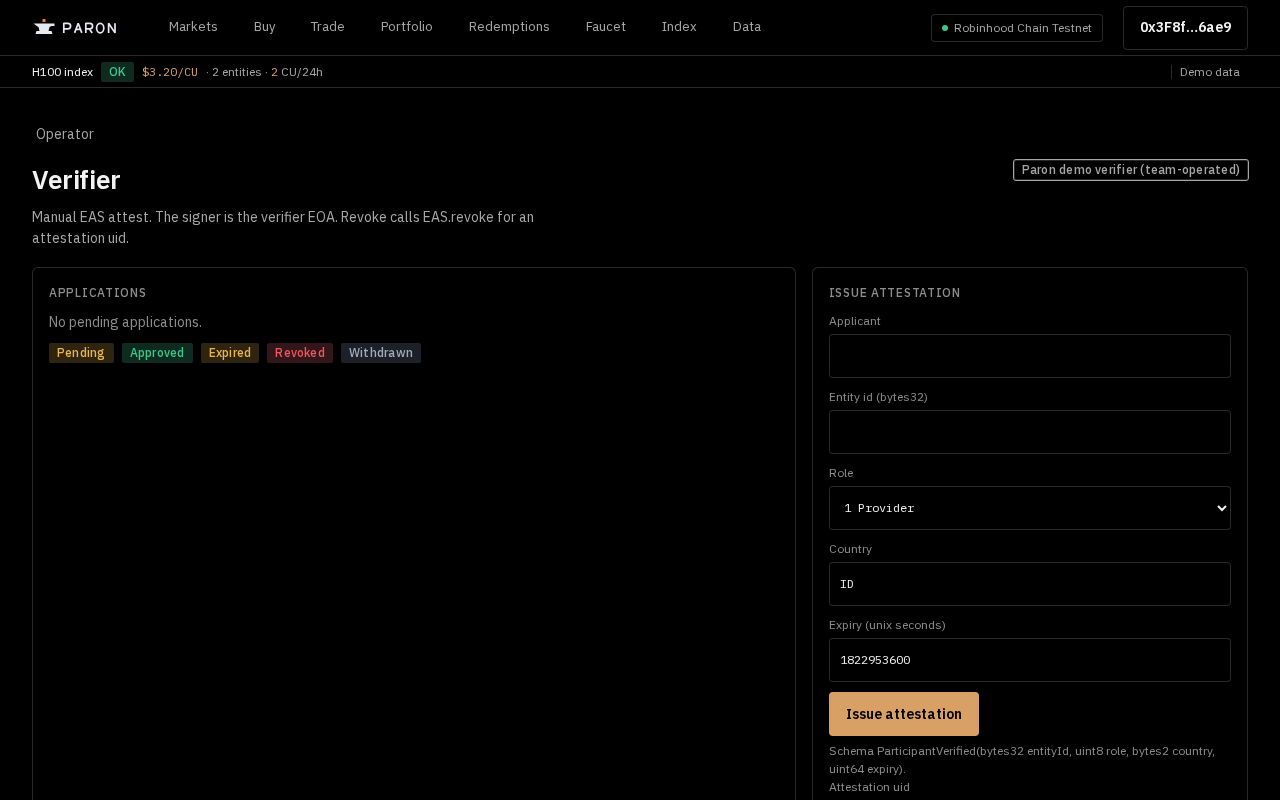
For operators: Verifier
On Verifier the operator reviews applications and uses Issue attestation to approve a provider's KYB.
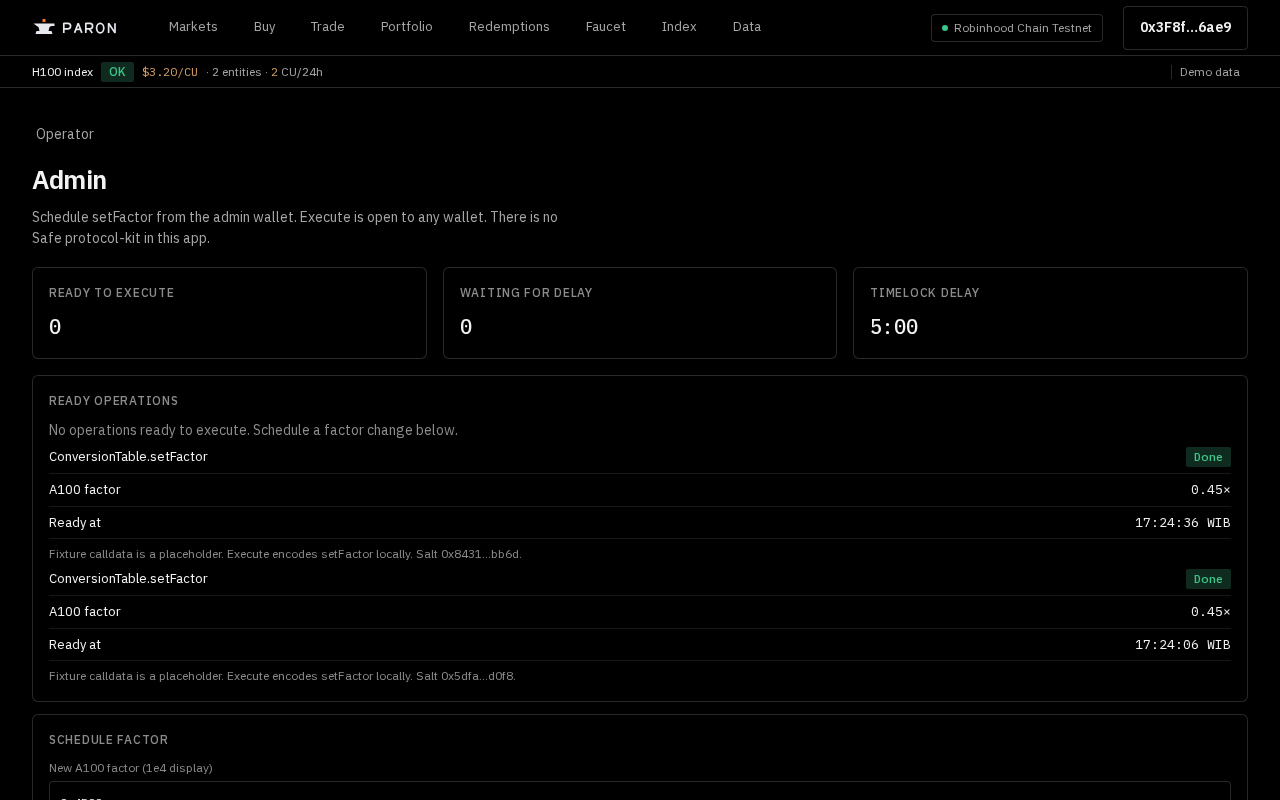
For operators: Admin and Timelock
On Admin the admin wallet schedules a factor change; after the Timelock delay anyone can execute it once it shows under Ready operations.
Good to know
- Paron is testnet only. Tokens have no monetary value and no real funds are involved.
- Some figures are labeled Demo data or sample; treat them as illustrations, not market prices.
- A provider's bond is 1.5× the primary price. It is the collateral a default claim is paid from, so a default is a real loss for the provider on testnet.
- To register as a provider your wallet needs a provider attestation (role 1) issued on Verifier and linked here first. A buyer attestation can't register.